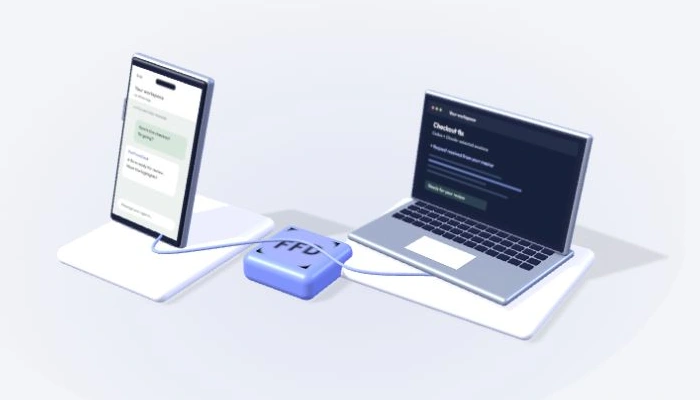
Ask naturally.
Send your master a request, or quote a session’s reply to speak directly to that session.
 FarFromDesk
Get FarFromDesk
FarFromDesk
Get FarFromDesk
Your coding agents. A little more freedom.
Your desk can stay behind. Your ideas don’t have to.
Talk to your Codex and Claude sessions from WhatsApp, with FarFromDesk on your Mac.
Mac preview Your accounts. Your sessions.
Pick a thought. See how it reaches your workspace.
A working example, using sample replies.
Nothing is sent to WhatsApp or your agents.
FarFromDeskInteractive demoChoose an example, then send it.
Your conversation goes with you.
Your coding environment stays on your Mac.
Connect once, choose your sessions,
and pick up the conversation in WhatsApp.
Pairing, your master and voice readiness.
Right where you need them.
macOS 14+ · Apple Silicon preview · See release status
WhatsApp → Settings → Linked devices
→ Link a device
Illustration only · Scan the real QR inside the Mac app
YOUR MASTERFarFromDesk · My workspace/sessionsThen select the sessions you want.Illustrated session names · Availability depends on your app and account
Your master coordinates the sessions you choose. Each agent keeps its own project, tools, instructions and model account.
Your masterFarFromDesk on your MacSend your master a request, or quote a session’s reply to speak directly to that session.
Native permissions still apply. Supported approval requests need an explicit typed decision.
“Ask the API session for a quick update.”
Hands full? Send a WhatsApp voice note. FarFromDesk transcribes it locally on your Mac and passes the text to the selected session.
Audio still travels through WhatsApp. The transcript becomes input to your coding provider. Local transcription does not make the whole conversation offline.
FarFromDesk connects to existing runtimes.
It does not include model access or bypass provider limits.
The Codex app, signed in, with a compatible native queue.
Session availability and native approvals still apply.
An installed and authenticated Codex CLI.
Master creation uses the native app-server.
A supported Claude Desktop version and a reachable coding session.
Saved chats may need reopening in Claude. Creation depends on native tools and account access.
An installed and authenticated Claude Code CLI.
CLI access is separate from Desktop access. Optional channel mode depends on account/version support.
The current local preview targets Apple Silicon, macOS 14+. The session transport also needs Python 3 from Apple’s developer tools. Keep your Mac awake, connected and available; sleep or a closed lid can interrupt access. More about requirements ↗
Use Message yourself or an owner-only private group. Keep others out of groups containing private coding output.
Connection credentials, queues and activity state live locally. Messages still use WhatsApp and your coding provider.
Pause forwarding in Settings or unlink WhatsApp from Home. Work already running in your coding app may continue.
FarFromDesk is a local Mac app that connects WhatsApp to selected Codex and Claude coding sessions. A master session coordinates the work and sends replies back to your chosen WhatsApp conversation.
Yes. Your Mac, coding runtime and WhatsApp connection must remain available. FarFromDesk can optionally prevent idle sleep, but this does not override manual sleep, lid closure, shutdown or low-battery safeguards. Closed-lid use depends on your Mac’s supported configuration.
Yes. Select the sessions you want your master to coordinate using the session list. Each session retains its original context and permissions. Quoting a session’s WhatsApp reply addresses that session directly.
Transcription runs on your Mac using bundled speech tools in the packaged preview. Voice notes first travel through WhatsApp; the resulting text is sent to your coding session. Notes are limited to five minutes and 10 MiB. Permission decisions must be typed.
Supported native permission requests can be approved or denied with a typed command when the integration’s trusted hooks are active. Approval is specific to that request, expires, and does not override native policy. Some actions still need attention in the coding app.
The app is currently a local preview. A public, signed and notarized installer has not been published. The release area below will link to a verified download when one is available. Windows and Linux apps are coming soon. Intel Mac support is not currently confirmed.
No. FarFromDesk is an independent Codecy Labs product. It uses a linked-device integration for WhatsApp and native coding integrations. Compatibility can change with provider updates and account restrictions.
Keep the conversation going, wherever
you happen to be. With your Mac online.
FarFromDesk is in local preview. Public signing, notarization and clean-install validation are still pending.
Apple Silicon · macOS 14 or later
Windows & Linux · Coming soon